Timse: pomodoro timers in the Mac menu bar
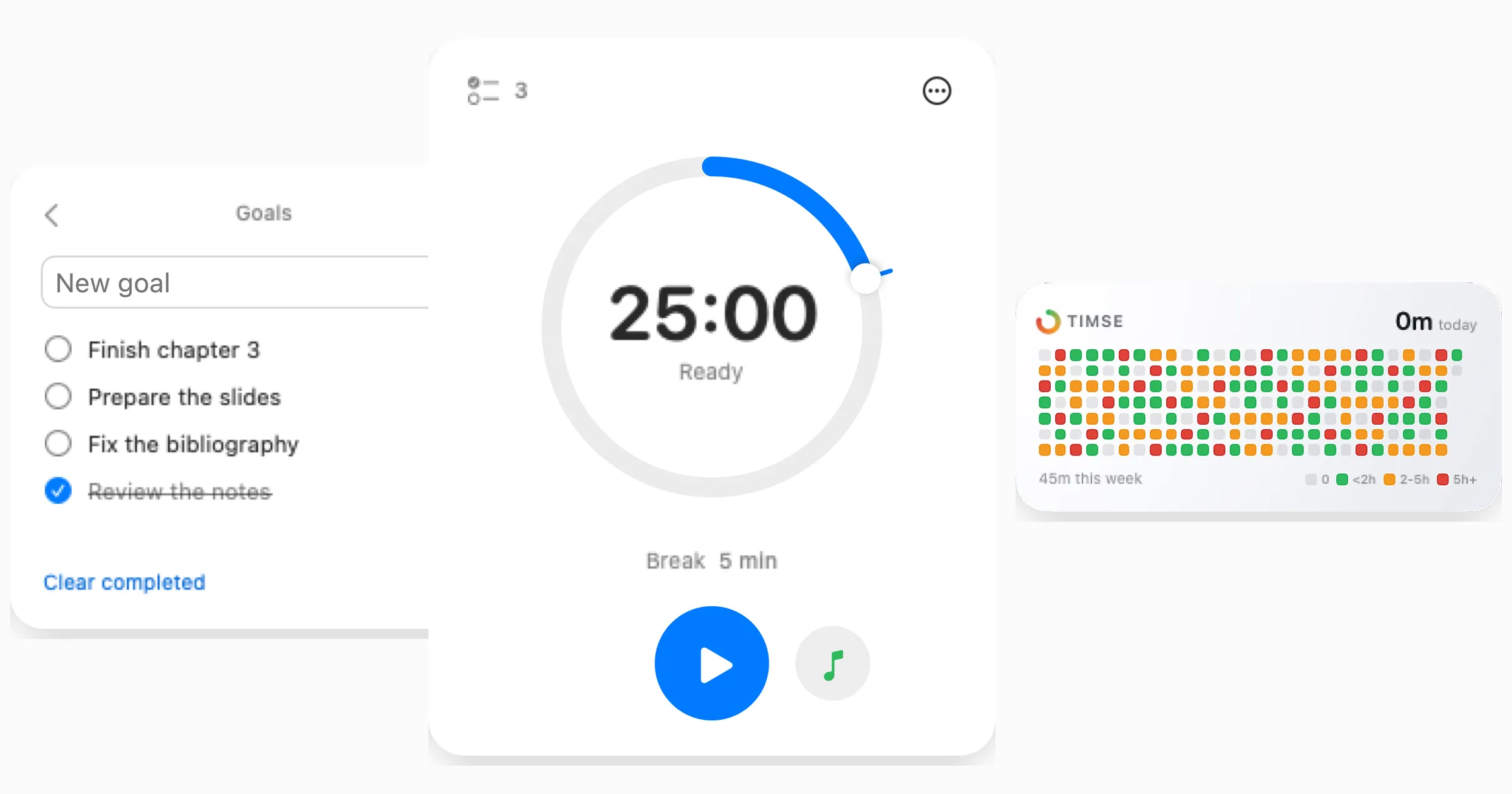
Timse is the second app released by Cupertina, and the idea behind it is a simple one: bring pomodoro timers straight into the macOS menu bar, and make them simpler and more immediate than they have ever been.
I have tried plenty of apps for running and tracking pomodoro timers, and none of them ever really gave me what I was after: a look that stays out of the way and sits well with the rest of macOS, few things to read at a glance, and above all an app that is simple to use. With Timse I have built the one that was missing: the dial makes choosing how long you work easier than ever, and a single click starts your session.
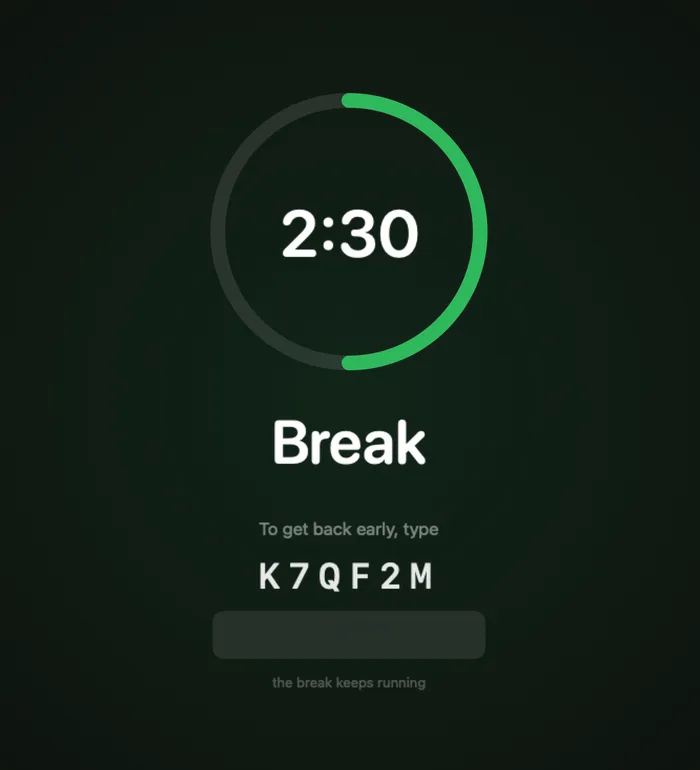
You don’t set the break: Timse works it out on its own, a fifth of the work time you picked. When the timer ends, a full-screen animation tells you it’s time to stop, and the break begins right after, without you having to click anything else.
Beyond that, a few other things worth mentioning:
- Quick access to Spotify, from a button of its own
- A dedicated screen for the goals you want to finish before the session is over
- Session history: every pomodoro you complete lands in a widget on your desktop, so you can see at a glance how much you have worked over the last 30 days
For that last one I took my cue from the Claude Code widget, which keeps track of work sessions the same way.
Timse is out on 17 August 2026 at 15:00, with a 7-day free trial and then €3 one-time: you pay once and every future update is included. It needs macOS 14 Sonoma or later and a Mac with Apple Silicon.
This app is the result of weeks of work and of the feedback I gathered online. I’ll keep updating it: if you find a bug, or have a feature in mind that isn’t there, write to me at contact@cupertina.com.
Thanks to everyone who’ll use it.